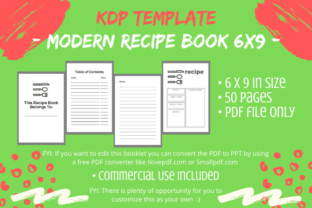
KDP Interior - Modern Recipe Book: A Creator’s Guide
Launching a low-content publishing business requires more than just uploading files; it demands a strategic approach to design and usability. The KDP Interior - Modern Recipe Book offers a streamlined foundation for creators looking to enter the culinary niche without spending weeks on layout design. This 6x9 inch, no-bleed template provides a professional starting point, but its true value lies in how you adapt it. Rather than viewing this as a finished product, consider it a structural canvas that allows you to focus on branding, customization, and audience specificity.
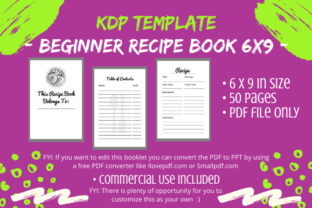
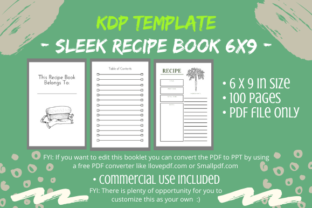
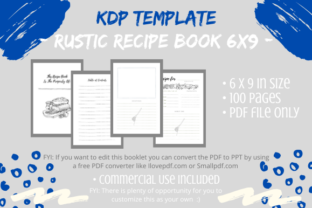
This digital asset includes a comprehensive 50-page PDF structured for immediate use or extensive modification. It contains a title page, copyright page, four empty Table of Contents pages, multiple recipe entry pages, and dedicated notes sections for additional directions. While the convenience of a pre-formatted interior is significant, successful publishers understand that differentiation is key. By leveraging this template as a base, you can reduce production time while still delivering a unique product that resonates with home cooks, food bloggers, and gift shoppers.
Understanding the Technical Foundation
Before diving into creative adaptations, it is essential to understand the technical parameters of this KDP Interior - Modern Recipe Book. The 6x9 inch trim size is an industry standard for trade paperbacks, offering a portable yet spacious format for kitchen use. The no-bleed specification simplifies the printing process and reduces the risk of formatting errors during upload, making it an excellent choice for both new and experienced publishers.
The included PDF serves as your master file. However, because PDFs are generally static, editing requires a specific workflow. Converting the file to PowerPoint using a free online converter transforms the layout into editable slides. This flexibility is crucial. It allows you to move elements, change fonts, and adjust spacing without needing expensive design software. Always create a duplicate copy of the original file before beginning any edits. Preserving the pristine master ensures you have a reliable backup for future projects or if you need to revert changes after testing different variations.
Strategic Customization for Market Differentiation
Amazon’s algorithm favors unique content. Using a stock template without modification risks being flagged as duplicate content, which can suppress visibility. To avoid this and build a sustainable brand, you must make this template distinctly your own. Customization is not just about compliance; it is about creating value for a specific reader.
- Niche-Specific Layouts: A generic recipe book appeals to everyone and no one. Adapt the interior for specific dietary needs. For a Keto cookbook journal, add fields for macro-nutrient tracking. For a vegan planner, include space for ingredient sourcing or substitution notes. Changing the page titles and prompts tailors the user experience to a dedicated community.
- Visual Branding Integration: Replace standard headers with custom typography that matches your cover design. Incorporate subtle clip art, line drawings, or watermark-style graphics that reflect your brand aesthetic. Even simple changes, like adding a decorative border or a consistent icon set, elevate the perceived value of the book.
- Content Expansion: The 50-page count is a baseline. Consider expanding the notes pages into full journaling spreads or adding conversion charts, measurement guides, and meal planning calendars. These functional additions transform a simple logbook into a comprehensive kitchen companion.
- Interactive Elements: Introduce quotes, coloring pages, or reflection prompts between recipe sections. This hybrid approach appeals to users who view cooking as a mindful practice rather than just a chore. It also increases engagement and distinguishes your listing from competitors offering blank lines only.
Diverse Applications Beyond Personal Use
While many associate recipe books with personal family archives, the commercial applications for this KDP Interior - Modern Recipe Book are vast. Entrepreneurs and educators can repurpose this structure for varied audiences and goals.
For Food Bloggers and Influencers
Content creators often struggle to monetize their audience beyond ad revenue. A branded recipe journal serves as a tangible extension of a digital presence. Customize the interior to match your blog’s color scheme and voice. Include QR codes linking to video tutorials or exclusive online content. This creates a cohesive ecosystem where the physical book drives traffic back to your digital platforms, and vice versa.
For Culinary Educators and Coaches
Nutritionists, cooking instructors, and wellness coaches can use this template as a client workbook. Instead of a blank journal, customize the prompts to guide students through learning objectives. Add sections for flavor profiling, technique practice logs, or pantry audits. Selling a course-specific workbook adds professionalism to your curriculum and provides students with a practical tool for retention.
For Gift and Stationery Brands
The holiday and gifting market values aesthetics and sentimentality. Adapt this interior for seasonal releases or special occasions. A "Newlywed Kitchen Starter" journal might include prompts for building traditions, while a "Grandma’s Legacy" edition could feature vintage-inspired typography and space for family stories alongside recipes. Targeting these emotional triggers requires thoughtful interior adjustments that speak directly to the occasion.
Maintaining Quality and User Experience
Creativity must be balanced with functionality. A beautiful book that is frustrating to write in will generate negative reviews. When modifying your KDP Interior - Modern Recipe Book, prioritize the end-user’s physical interaction with the product.
Writing Space and Margins: Ensure there is adequate white space. Home cooks often have messy hands or need to jot down quick adjustments. Cramped layouts discourage use. Maintain generous inner margins (gutter) so text does not disappear into the binding, especially in a 6x9 format. Test print a few pages at actual size to verify that writing areas are comfortable and accessible.
Consistency and Flow: If you alter page titles or add new sections, ensure the changes are uniform throughout the document. Inconsistent styling looks unprofessional and confuses readers. Update the Table of Contents pages to accurately reflect any structural changes. A functional TOC is critical for reference books; an empty or inaccurate one signals poor quality.
Paper and Ink Considerations: Remember that KDP standard color paper is 55# (90 GSM). Heavy markers or gel pens may bleed through. Design with this limitation in mind. Avoid large solid black backgrounds or heavy ink coverage. Encourage users to use ballpoint or fine-tip pens by including a small note on the copyright page. Managing expectations proactively protects your review rating.
Building a Sustainable Publishing Workflow
Treating this template as a reusable asset maximizes your return on investment. Once you have converted the PDF to PPT and established your customization workflow, save versions for different niches. Create a master "Clean" version, a "Keto" version, a "Baking" version, and a "Journaling" version. This modular approach allows you to test multiple markets efficiently without redesigning from scratch each time.
Document your editing process. Note which fonts work best for readability, what margin settings prevent gutter issues, and which clip art sources offer commercial licenses. Building this internal knowledge base streamlines future production and ensures consistent quality across your catalog. Over time, your adaptations become proprietary assets that further distance your brand from generic competition.
Ultimately, the KDP Interior - Modern Recipe Book is a tool for execution. It removes the barrier of technical layout design, freeing you to apply your creativity where it matters most: connecting with a specific audience through thoughtful, useful content. By respecting the platform’s guidelines, prioritizing user experience, and injecting genuine personality into the template, you transform a simple digital download into a valuable product that stands out in a crowded marketplace. Success in low-content publishing comes not from the template itself, but from the intention and effort you invest in making it uniquely yours.